Cheezy World

Delivering software with discipline and joy

My AI Development Environment

I see a lot of people posting about how bad AI is at creating code. I, along with everybody I work with, am having the opposite experience where AI is producing high-quality code that is well factored and tested. For a long time it has been a mystery how people can have such opposite experiences.

I now have three cases where close friends were making such statements and I offered to have a chat to understand their experience. In each case, they were using tools that were far from ideal and the tools they had were not configured at all. When I told them about options to provide AI with more instructions and constrain / direct how it works they were surprised.

Adding Metrics to Stride

In this post we will simply show you a video of the new metrics feature in Stride. Teams can use these metrics to understand how they are performing in order to find ways to improve. There are four metrics that are available:

  • Throughput
  • Cycle Time
  • Lead Time
  • Wait Time (our special version)

We also support export to PDF and Excel.


How Much Should I Spend?

This post will explore the question “How much money should one spend on AI tools?”. We will be looking at this question from multiple perspectives, the developer who wants to learn AI at home, the developer who works solo and wants the tools in order to boost their throughput and quality, and also from a corporate perspective. I’ll give pricing that is available on the websites but larger discounts are often available for annual subscriptions or educational institutions. All prices are in Canadian Dollars.


What is Stride?

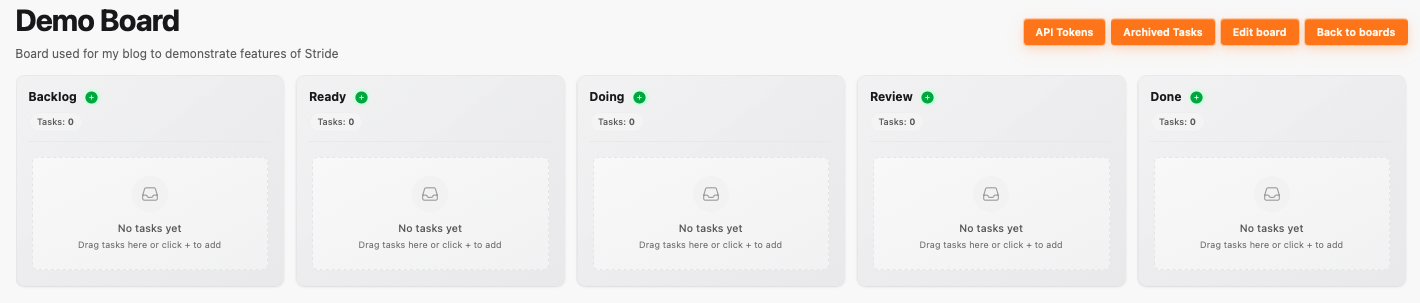
At its most basic level, Stride is a smart kanban board where teams and AI agents can collaborate to build software. There are several tools available now that provide this basic capability, but Stride differentiates itself in several important and meaningful ways. This post will cover those differentiators while walking you through a Stride AI Optimized board explaining what the team and AI agents do at each step.

Stride AI Optimized Board


Using Stride and Claude Code to Enhance Stride

In this post I will be using Stride and Claude Code to add a Resources section to the Stride UI. Through a series of videos you will see me go through the entire lifecycle of adding this feature to Stride.

Brainstorming with Claude

I start with a concept. I want to add a new section to Stride where users can go to find answers to questions about Stride. I hope to include a lot of images and videos. The video below shows the output of a Brainstorming session I had with Claude. The session lasted about 5 minutes. I would expect a Product Owner and Developer to pair on this activity in a team setting.