From an Idea to a Team That Ships on Its Own: Getting Ready for a Half-Day Stride Session
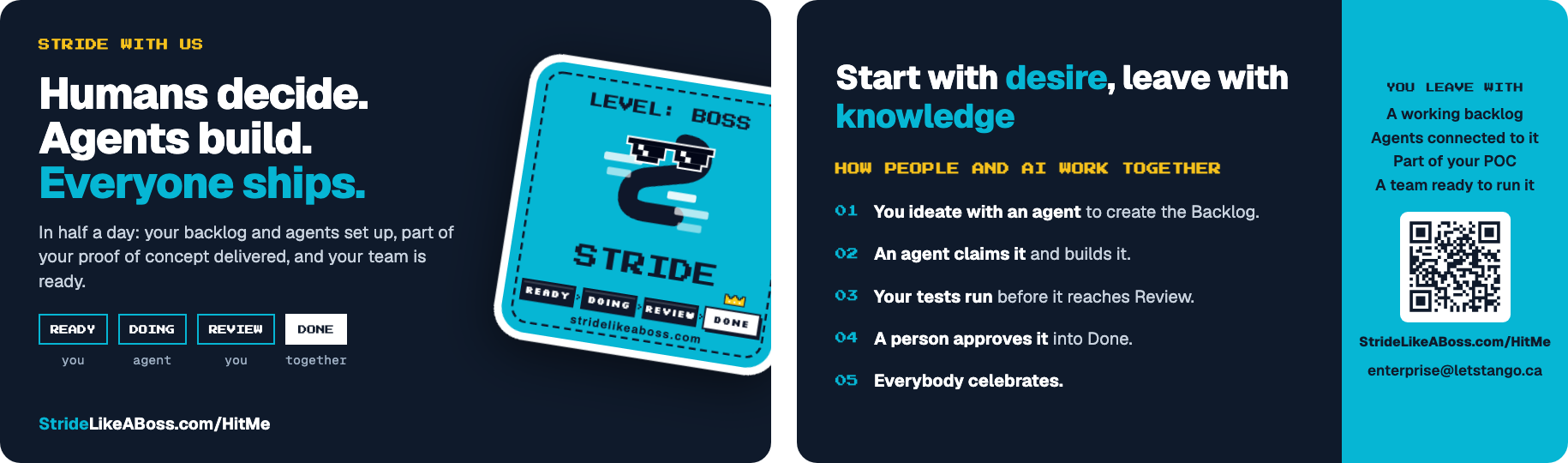
I now run half-day, hands-on sessions where your team and AI agents build part of your proof of concept together in Stride. The handout below covers the offer. This post is about the parts it can’t fit: what to have in place before the day, why we start with ideation rather than code, and how your team keeps going once we leave.
Before the session
Half a day goes quickly. Every item below is something I’d otherwise spend the morning waiting on, so having them ready means the time goes into building.
-
Your people. The person who owns the proof of concept, plus the developers who will build it, free for the whole half day. The owner matters as much as the developers: ideation is a conversation about what to build, and only they can answer it.
-
Your idea. A short write-up of the proof of concept: the problem, who it’s for, and what a first version must do. A paragraph or two is plenty. It’s the starting point for ideation, not a specification.
-
Your code. A Git repository, new or existing, that the team can push to. If you’ve already decided on your tech stack then having the core files scaffolded is a nice-to-have, but not required.
-
Your checks. A test runner and a linter that each run with one command, even if there’s only one test so far. Stride runs them before an agent may finish a task, so they’re the quality gate for everything the agents build. Stride doesn’t prescribe which tools to use, only that they run with one command.
-
Your agents. A coding agent installed and signed in on each developer’s and the person who will specify the requirements machine, with your company’s approval to use it on this code, and four Stride plugins installed in it:
- Stride, the workflow itself: claiming tasks, running your checks and completing work;
- Stride Ideation, which turns your idea into requirements and then into tasks;
- Stride Security Review, which checks each task’s work against its security considerations;
- Stride Exploratory Testing, which explores your running app to find what scripted tests miss.
All four are available for Claude Code, GitHub Copilot CLI, Gemini CLI, Codex CLI and OpenCode. Pi has only the Stride plugin so far, so a team that uses Pi should have one of the other five ready for the session. In Claude Code, all four install from the Stride marketplace:
/plugin marketplace add cheezy/stride-marketplace
/plugin install stride@stride-marketplace
/plugin install stride-ideation@stride-marketplace
/plugin install stride-security-review@stride-marketplace
/plugin install stride-exploratory-testing@stride-marketplace
For the other runtimes, each plugin has its own repository under github.com/cheezy, named for the runtime, such as
stride-copilotandstride-copilot-ideation, and its README has the install command. -
Other agent plugins. If you have specified your tech stack, install the relevant plugins for your agent. For example, if you’re using Claude Code, install the Claude Code plugins for your tech stack in order to guide it on how to structure your code.
-
Your Stride accounts. Everyone signed up at stridelikeaboss.com before the day, with the confirmation email clicked. You can’t sign in until you have.
-
Your machines. Laptops that can build and run the project locally. On Windows, I recommend using WSL2.
You don’t need to create a board, an API token or any Stride configuration beforehand. We do that together in the first part of the session, so everyone sees how the pieces connect.
Why we start with ideation, not code
An agent builds what it’s told. When the instructions are vague, it fills the gaps with guesses, and guesses that look plausible are the expensive kind: they pass a quick glance and fail in review, or worse, after review. Most of the accuracy in an agent-built feature is decided before any code is written.
So the session starts with Stride’s ideation plugin. Its /ideate command interviews your team in a few short rounds of questions. Every question offers “I’m not sure — propose candidates”, so nobody gets stuck. It won’t write the requirements document until seven sections have real content:
- Goal, Problem and Outcome: what you’re building, why, and what’s different when it works.
- Assumptions: including the ways the proof of concept could fail, worked out with a premortem, and ranked so the riskiest one is marked.
- Constraints: the limits the solution has to live within.
- Non-goals: what you’re deliberately not building, which is what stops an agent from wandering into scope you never asked for.
- Success Metrics: both leading and lagging measures, so you can tell early whether you’re on track.
A reviewer then reads the draft and points out thin sections, contradictions and ambiguous acceptance criteria. You choose which to address. Nothing is decided for you, and the finished document is committed to your repository.
From requirements to a goal
The ideation plugin’s /stridify command turns that document into a Stride goal: a set of tasks the agents will build, each about one to two hours of agent work. You see a preview and approve it before anything is created. The tasks land in your Backlog, so nothing starts until a person moves it to Ready.
Each task carries what an agent needs to get it right the first time, without guessing. Here are just a few examples:
- acceptance criteria that define done;
- the key files it should change;
- a testing strategy, and verification steps to confirm it works;
- patterns to follow from your existing code;
- pitfalls to avoid;
- the security considerations it has to address.
This structure, and the plugins that check the work, are what make the outcome more accurate:
- Order. Tasks wait for the tasks they depend on, so nothing is built on a foundation that isn’t there yet.
- No collisions. Two agents are never given tasks that change the same files at the same time.
- Checked against the brief. An agent’s work is reviewed against that task’s acceptance criteria and pitfalls, and the security review plugin checks it against the task’s security considerations, escalating any it finds unmitigated rather than letting them through. Then your tests and linter must pass before it can finish.
- Explored, not just checked. When a task lists manual tests, the exploratory testing plugin explores a non-production copy of your running app around them and reports what it finds, the kind of problem a scripted test never thinks to look for.
- Traceable. The file that created the goal is committed to your repository next to the requirements document, with a fingerprint of the exact version it was built from, so “why was this built?” always has an answer.
Carrying on without me
The point of the half day isn’t the code we write together. It’s that your team leaves knowing how to do it again.
- The loop keeps running. Move tasks to Ready and an agent claims the highest-priority one it can work on, builds it, passes your checks and claims the next. It stops at any task that’s waiting for a person.
- You set the level of trust. Tick Needs Review on a task and the agent stops there until a person approves it. The Review queue shows the diff and the acceptance checklist, and you can approve the work or request changes. Start with review on most tasks and relax it as you come to trust the agents.
- The next idea uses the same path. Run
/ideateon it, then/stridifythe result into a new goal. The first time is the session; every time after is yours. - Your gates are shared. The hooks file we set up lives in your repository, so every developer and every agent runs the same steps: pull before starting, test and lint before finishing, and whatever you add, such as opening a pull request, or pushing when a goal is complete.
- You can see how it’s going. Stride’s metrics show cycle time, lead time and throughput, and the agents page shows what each agent is doing right now.
- New projects set themselves up. Point an agent at Stride’s onboarding endpoint and it configures a new project the same way we did on the day.
- The safety nets stay on. The security review plugin checks every task that lists security considerations, and the exploratory testing plugin explores every task that lists manual tests, once you’ve told the agent which non-production copy of your app it may test. The checks you saw on the day don’t depend on anyone remembering to run them.
Book a half-day session
Tell us about your team and your proof of concept, and we’ll reply with next steps. Email enterprise@letstango.ca, or visit StrideLikeABoss.com/HitMe.